
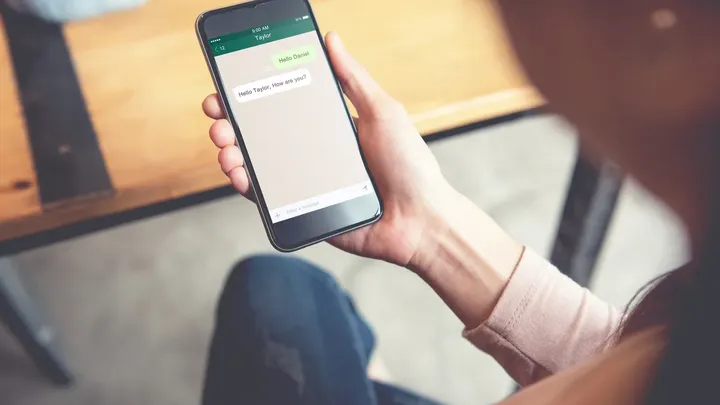
First, a text arrives with a six-digit WhatsApp code that you never requested. Sometimes a notice follows saying your account has been blocked or taken over, and sometimes a call from a foreign number. Then the app logs you out.
Helpdesks worldwide report that they are receiving more reports from people whose WhatsApp accounts have been hijacked this way.
Once inside, fraudsters pretend to be the victim and message their contacts asking for money. Fortunately, there are two security settings that can make taking over your account much harder.
What the Dutch fraud helpdesk is warning about
According to the Fraudehelpdesk, victims report receiving unexpected verification codes, followed by warnings about their accounts. Some also receive calls from foreign telephone numbers. Eventually, they lose access to WhatsApp.
The scammers then contact friends and relatives, pretending to be the account owner. They might ask someone to pay a bill, lend them money, or buy a gift card for a supposedly sick friend.
The organization has confirmed that these incidents are separate from an earlier scam involving fake voting requests.
How a six-digit code can give scammers access
When someone tries to register WhatsApp using your phone number, WhatsApp sends a verification code to confirm that the number belongs to them. Criminals can deliberately trigger this process using someone else's number.
However, receiving an unexpected code doesn't automatically mean your account has been hacked. WhatsApp explains that someone might simply have entered your number by mistake.
The danger begins when scammers persuade you to share the code. They might pretend to be a friend who accidentally sent their verification code to your phone. Others invent technical problems or claim they need help accessing an online meeting.
If you give them the code, they may be able to register your WhatsApp account on their device.
Remember: Never share a WhatsApp verification code, even with someone who appears to be a close friend or family member.
Two WhatsApp security settings worth checking today
Both WhatsApp and the Dutch Fraudehelpdesk recommend additional account protection.
1. Turn on two-step verification
Open WhatsApp and go to:
- Settings
- Account
- Two-step verification
- Follow the instructions to enable it
Depending on your app version, WhatsApp may offer a PIN or newer authentication options, including a password. Add a recovery email address where available.
2. Set up a passkey
Look for Passkeys under Settings and Account.
A passkey connects your WhatsApp account to your phone's existing security system, such as fingerprint recognition, facial recognition, or a screen lock.
This adds another layer of protection without requiring you to remember another code.
The Fraudehelpdesk also advises setting a personal PIN for your voicemail, since criminals may try to obtain verification codes through voice calls.
What to do if your WhatsApp account has already been taken over
If you've lost access, act quickly.
Open WhatsApp and try registering your phone number again. According to WhatsApp's official recovery instructions, successfully registering with the six-digit verification code removes the unauthorized user from the account.
However, if the scammer has enabled two-step verification and you don't know the required PIN, you may have to wait seven days before you can sign in.
Once you're back inside, check Linked Devices and disconnect anything unfamiliar.
Warn friends and relatives through another channel, especially if someone has received a request for money from your account.
You can also report the incident:
- Netherlands: Fraudehelpdesk — 088-786 7372.
- United Kingdom: Report Fraud — 0300 123 2040.
- United States: Federal Trade Commission.
Finally, remember that messages from familiar numbers aren't automatically trustworthy. If your son, daughter, or friend suddenly asks you to send money, call them directly using a number you already know.
That quick phone call could prevent an expensive mistake.