
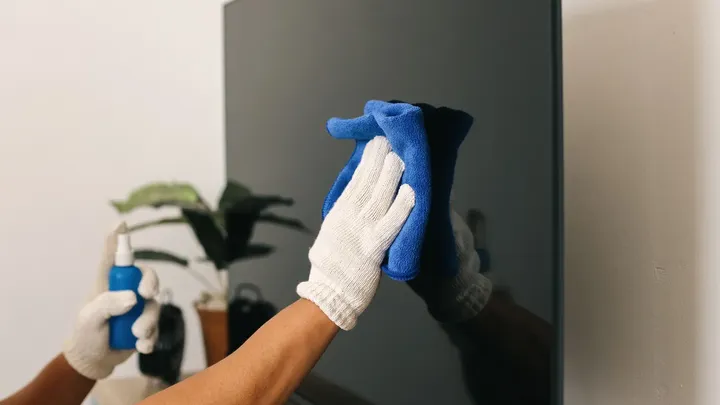
A new television can look fantastic in the living room, but it doesn't take long for dust and fingerprints to appear on the screen. This is especially noticeable during the darker months, when the TV is on more often and light from nearby lamps catches every smudge.
It's tempting to treat the screen like any other glass surface. After all, a quick spray and wipe seems like the easiest way to get rid of fingerprints left by curious little hands.
But television manufacturers warn that some familiar cleaning habits can cause lasting damage. And the problem isn't always obvious until it's too late. So what's the safest way to get your TV looking clean again?
Why a TV screen needs special care
Although it looks like glass, a modern TV screen has a delicate surface. Some models also have an anti-glare coating that helps reduce reflections, making the picture easier to see.
Samsung warns that products such as window cleaner, soap, scouring powder and cleaners containing alcohol, ammonia, benzene or acetone can damage the screen. Its US support guidance also advises against paper towels and abrasive pads, which can scratch the surface or strip away the anti-glare coating.
Other manufacturers give similar warnings. LG advises against using glass cleaner, alcohol and acetone, while Sony also recommends avoiding cleaning products applied directly to the television.
In other words, the products that work well on your windows aren't necessarily suitable for your TV.
The simple way to clean your TV screen
Fortunately, you don't need a cupboard full of specialist cleaning products. Samsung's recommended starting point is a clean, dry microfibre cloth.
Here's the routine it describes:
- Switch off the TV. Let it cool down for a few minutes, then unplug it before cleaning.
- Remove loose dust. Use a clean, dry microfibre cloth to gently wipe the screen. This helps remove tiny particles that could scratch the surface if rubbed against it.
- Deal with stubborn marks. If fingerprints remain, Samsung's US guidance recommends spraying a little distilled water onto the cloth, never directly onto the screen.
- Wipe gently. Use light movements and avoid pressing hard. The screen can be damaged by too much pressure.
- Dry it straight away. Use a second dry microfibre cloth to remove any remaining moisture. Let the screen dry completely before plugging the TV back in.
It's also worth keeping a separate microfibre cloth just for your television. A cloth used to clean other surfaces might have picked up grit or dirt.
Check the instructions for your particular model
One detail worth remembering is that cleaning advice can vary between manufacturers, regions and TV models.
Some Samsung support pages mention different options for particular screens, including The Frame and Serif models with matte anti-glare surfaces. Other regional guidance differs on which cleaning products are suitable. Sony and Philips also provide their own model-specific instructions.
So, before trying anything beyond a dry cloth, check the manual or support page for your television. If you're unsure, it's best to keep things simple.
A clean screen doesn't require much effort. Just resist the urge to treat your new TV like a window – the wrong cleaning method could leave marks that no amount of wiping will fix.